If you want to pay someone with Bitcoin then that person must have a Bitcoin wallet to receive the Bitcoin. Every wallet has security keys and a unique wallet address. So when you want to send Bitcoin, you have to use his wallet address to facilitate the payment. The wallet address is blockchain system-generated so there is nothing to worry about the security of your Bitcoin payment. So when you are making the payment make sure the wallet address is correct or the payment won’t happen.
Key Takeaways
- Bitcoin is the most popular digital currency created in 2009 with a view to offer a convenient way to send money over the internet
- Sending Bitcoin is different from sending money to anyone and the process is bit complicated
- You will need a cryptocurrency wallet to send and receive Bitcoin
- If you are a PayPal USA user then you can send and receive Bitcoin on your PayPal account
Reasons To Send Bitcoin
Bitcoin provides full control of your money so that you can easily transfer value anywhere in a very easy way. Moreover, Bitcoin also provides high levels of security therefore, over the years the use of Bitcoin has increased. There are many reasons people send Bitcoin. They are –
1. Use Bitcoin as a payment method to purchase something online
2. Easily donate money to a crypto-friendly charity
3. Send funds using Bitcoin to friends or family around the world
4. Make a payment for any type of services
5. In order to move the Bitcoin from one wallet to another wallet or one account to another account
6. Get a subscription to a live streamer on a platform like Twitch or dLive
7. To cash out your Bitcoin at select Bitcoin ATMs
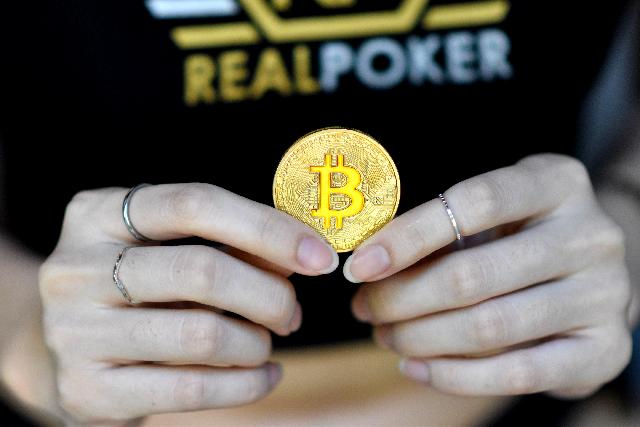
How To Pay Someone With Bitcoin
Many people think that when making a Bitcoin payment, it requires the private keys, passphrase, or seed phrase of the other wallet. But that’s not true; you only need the public Bitcoin wallet address of the receiver to pay someone with Bitcoin. Below you will find the detailed step-by-step guide that will help you easily pay someone with Bitcoin.
Step – 1: Open An Account On Cryptocurrency Exchange
A cryptocurrency exchange allows you to send and receive various types of Cryptocurrencies including Bitcoin. There are lots of Cryptocurrency exchanges available and among them, Coinbase is the best option. Now follow the below steps –
- You can use Coinbase from your computer or download the Coinbase app on your iPhone or Android phone
- Now, if you already have a Coinbase account then log in to your account, or
- Register an account on Coinbase
- First tap on the Signup button
- Then you will be asked for the following information:
- Legal full name
- Email address
- Password
- Your State
- Then read the User Agreement and Privacy Policy
- Now check the box and click Create account
- Coinbase will send you a verification email to your registered email address
- Click the link to verify your Coinbase account and your account is ready to use
Step – 2: Add A Payment Method
The next step is the payment method where you have to add a payment to your Coinbase account. Here are the steps –
1. Go to the “Payment Method” from your computer or,
2. Select Settings from your Coinbase mobile app and then tap on “Add a payment method”
3. Now select the type of account you want to link
4. Finally, follow the instructions to complete verification depending on the type of account you have chosen
Step – 3: Add Funds To Your Account
Once you have successfully added a payment method to your Coinbase account, now the next step is to add funds to your account. You can easily add funds to your Coinbase account. Just follow the below steps –
1. First, open the Coinbase app on your mobile and login into your account
2. Now tap on the Wallet Balance and then from the available options select the Deposit
3. Then in the currency type field select USD
4. Select the Bank Account tab and you will see your verified bank account
5. Now select the verified bank account and specify the USD amount that you want to add to your account
6. Finally, click on the Deposit USD button to complete the process
Step – 4: Buy Bitcoin
If your fund is added to your Coinbase account, then you can easily buy Bitcoin from the Coinbase wallet. Follow the below steps –
1. First, open the Coinbase app on your mobile and login to your account
2. Now from the upper right-hand side, select Buy/Sell
3. Then click the Buy field and then select Bitcoin from the available Cryptocurrencies
4. Enter the amount you’d like to buy
5. Then select the Payment method
6. Now click Preview Buy to confirm your purchase
7. If all the information is correct then click Buy to complete the purchase
Step – 5: Send Bitcoin
This is the final step where you will be able to pay someone with Bitcoin. Now follow the steps below –
1. First, open the Coinbase app on your mobile and log in to your account
2. From the main navigation bar, click on the Portfolio
3. Now select the Send button on the Portfolio page
4. In the next dialog box, you have to select the wallet address or provide the wallet address of the receiver
5. Then enter the amount of cryptocurrency you’d like to send in the Amount field
6. Select the Continue button
7. Finally, confirm the details of the transaction and click on the Send button to complete the process
How To Pay Someone With Bitcoin On PayPal
Now PayPal allows its USA users to send and receive Bitcoin on PayPal. The Checkout with Crypto feature of PayPal offers US Customers with Personal and Premier PayPal accounts to pay with Bitcoin for millions of online businesses. Here are the steps –
1. First, log in to your PayPal account
2. Now select Checkout with PayPal
3. Then select the Cryptocurrency
4. Review Terms and Conditions and click Got It
5. Finally, check the exchange rate and click Sell to complete the process
How To Pay Someone With Bitcoin On Cash App
Cash App allows its users to pay/send Bitcoin to another account; follow the below instructions –
1. First, open the Cash App on your mobile and log in to your account
2. From the Cash App home screen tap on the Banking Tab
3. Now select Bitcoin from the available Crypto
4. Then Press Withdraw Bitcoin button
5. Next, scan a QR code address or press the Use Wallet Address button to enter the wallet address manually
6. Then confirm the transaction with your PIN or Touch ID to send the Bitcoin on Cash App

FAQs About How To Pay Someone With Bitcoin
How long does it take to receive Bitcoin?
What’s the Bitcoin network fee?
Is there a limit on the amount of Bitcoin I can send?
Can you cancel or reverse a Bitcoin transaction?
Can I send Bitcoin to someone without a wallet?
How do I cash out my Bitcoins?
1. Third-Party Broker Exchanges
2. Peer-to-Peer Platforms
3. Cash-out With a Bitcoin ATM
4. Using a Bitcoin Debit Card
References:
1. https://coincloud.medium.com/how-to-pay-someone-with-bitcoin-5b2a7fc3968c
2. https://cash.app/help/us/en-us/31021-sending-and-receiving-bitcoin
Is Coinbase a Bitcoin wallet?
Coinbase is a Cryptocurrency wallet that supports Bitcoin, Bitcoin Cash, Litecoin, Ethereum, Ethereum Classic, XRP, Stellar Lumens, Dogecoin, etc.
Is the Cash app a Bitcoin wallet?
Cash App is a Cryptocurrency wallet that allows you instantly buy, sell, store, withdraw, and deposit Bitcoin. So you can use Cash App as a Bitcoin exchange as well as a custodial wallet.
References: 1 https://bitcoin.org/en/bitcoin-for-individuals
References: 2 https://www.coinbase.com/learn/tips-and-tutorials/how-to-send-crypto